Tutorial 5 — Forces, Torques & Drive Laws
Goal: apply your first Force and Torque, and learn the piece that makes them powerful — the drive law that shapes how the push (or twist) changes over time. You'll drive the same body three different ways (constant, delayed, growing) and watch Newton's second law play out each time.
Time: ~20 minutes · Prerequisites: Tutorial 1 (Node, Rigid Body, Solve, playback). No joint needed — every body here is free.
Concept — a load is a magnitude, a direction, and a drive
Gravity (Tutorial 1) is a force that's always on, at a fixed value. A Force or Torque load lets you place a push (or twist) anywhere, aim it, and — with a drive law — decide exactly how its size changes with time:
load(t) = magnitude × drive(t)
BriskFyr's drive laws (the Time law dropdown on any Force/Torque/Drive): Constant (always the same), Step (off, then instantly on), Ramp (grows steadily from a start time), Sine/Cosine (oscillates), Linear, Piecewise linear. We'll use the first three.
For a free body (no joint), Newton's second law is as simple as it gets:
linear: a = F / m · rotational: α = τ / I
No constraint is soaking up any of the push — everything you apply shows up directly as acceleration.
Part A — a constant push (translation)
1. A free body, gravity off
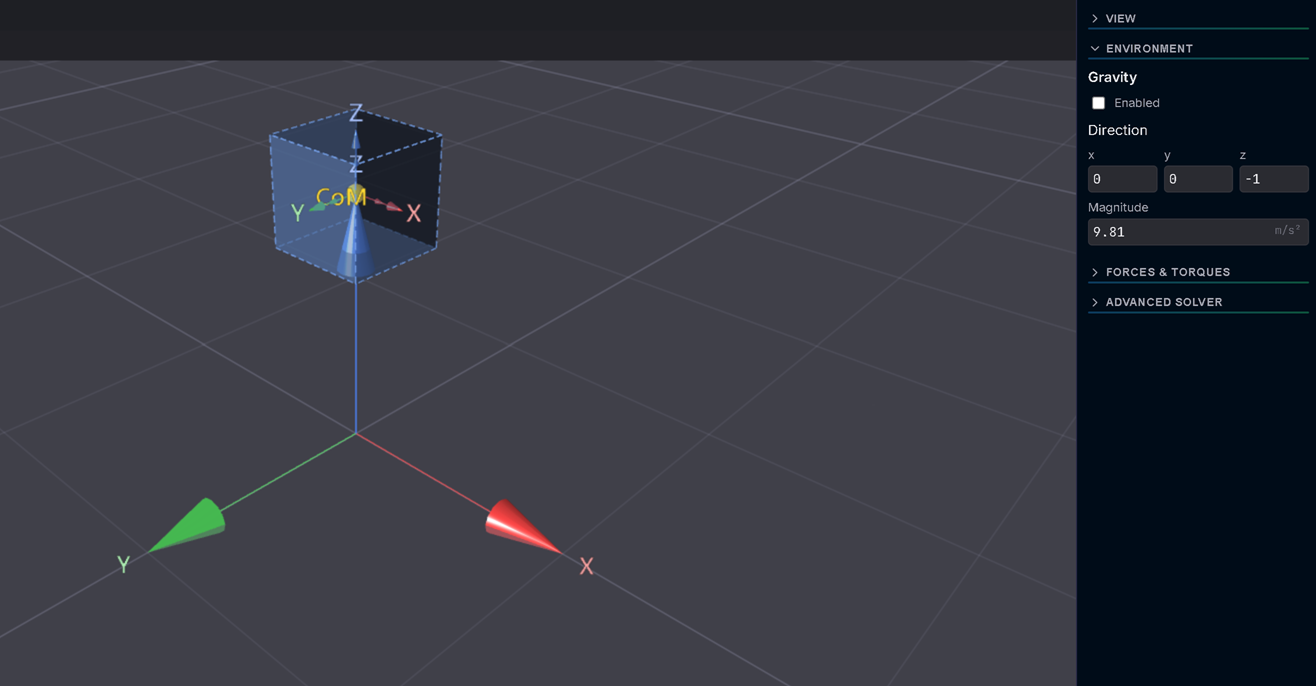
Add a Node (Build ▸ Node) at Position (0, 0, 1), then a Rigid Body on it (default mass 1 kg is fine). Open Settings ▸ Environment and turn Gravity → Enabled off.
Expected: with gravity off and nothing else applied, this body would just sit motionless forever if you solved it right now.
2. Add a Force and aim it sideways
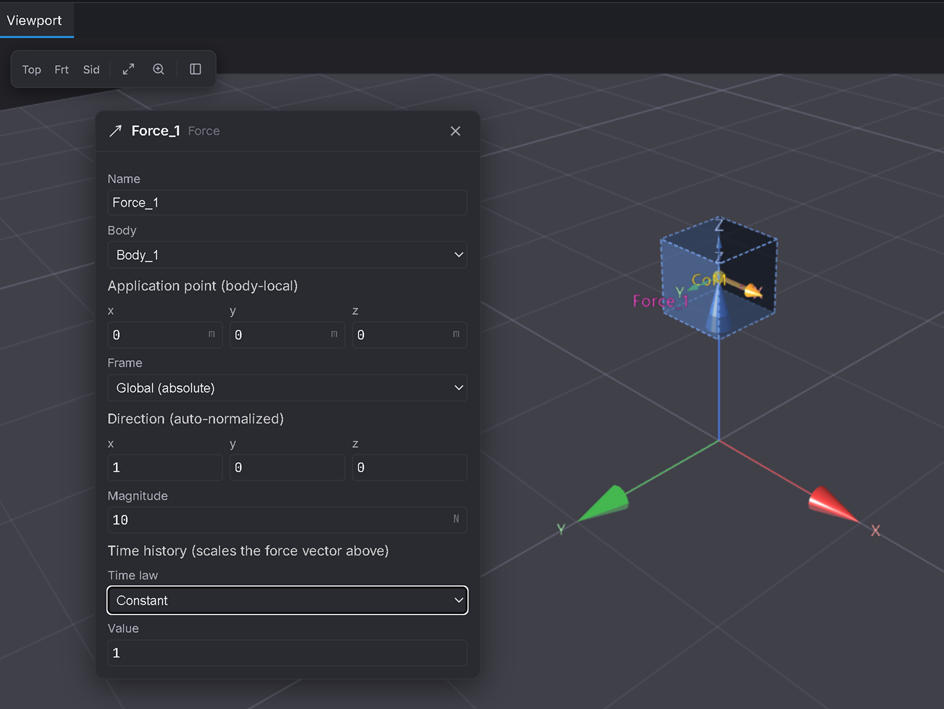
In Springs & Loads ▸ Force. It defaults to magnitude 10, direction (0, 0, −1) (straight down — easy to mistake for gravity), and a Constant drive of value 1. Change Direction → (1, 0, 0) so it's clearly a push, not a second gravity.
Expected: the load is now 10 N along +X, always on (Constant, value 1 → 10 × 1 = 10 N). With mass 1 kg: a = F/m = 10/1 = 10 m/s².
3. Solve and watch it accelerate
Solve tab ▸ Duration = 1 s, Time step = 0.01 s. Solve, then play back.
Expected: the body accelerates steadily along +X. By t = 1.000 s it has covered s = ½at² = ½ × 10 × 1² = 5 m (5 grid squares) and reached v = at = 10 m/s.
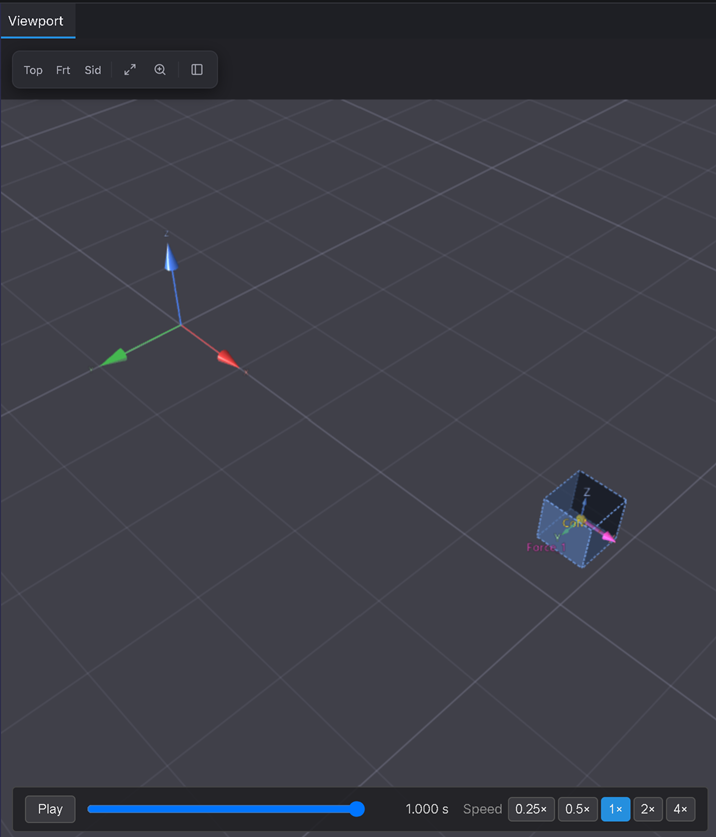
Precise (optional — previews Tutorial 6's measuring tools): add a Marker at the start point, a Distance Request to the body, and read its live value while scrubbing to t = 1.000 s — it should read ≈ 5.000 m.
Part B — a delayed push (Step) and a growing one (Ramp)
4. Switch to a Step drive — nothing, then everything
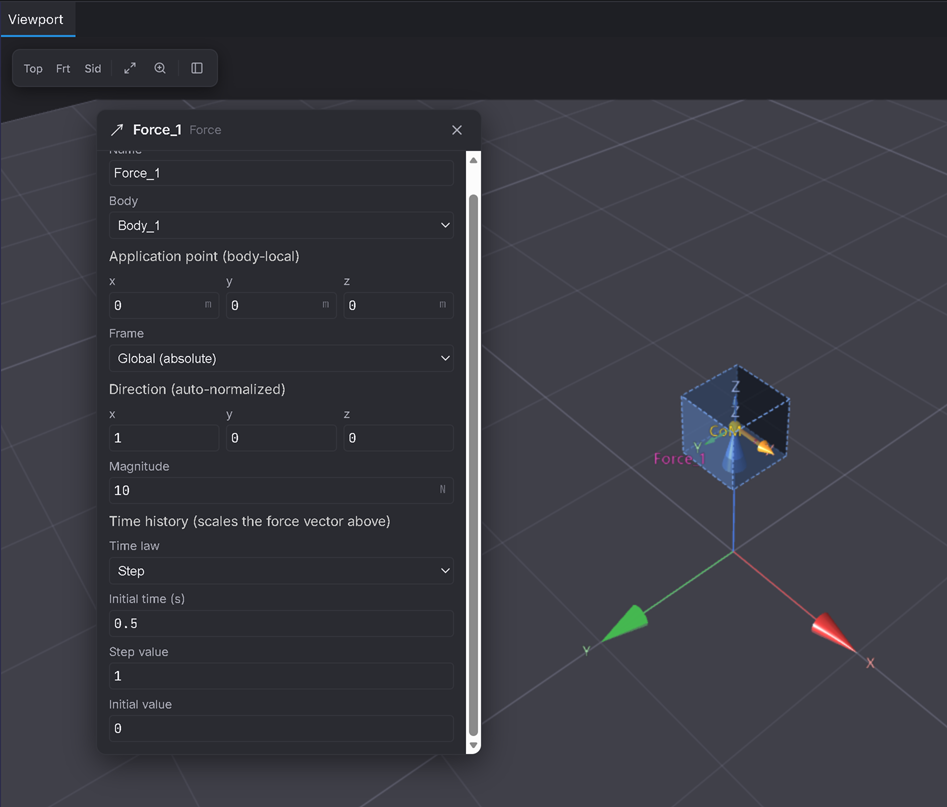
Select the Force and change Time law → Step. Set Initial time = 0.5, Step value = 1, Initial value = 0.
Expected: the drive is 0 for t < 0.5 s (no force at all) and jumps to 1 (→ 10 N) at t = 0.5 s and stays there. The body should sit completely still for the first half-second, then take off exactly as Part A did, just starting half a second late.
5. Solve and confirm the delay
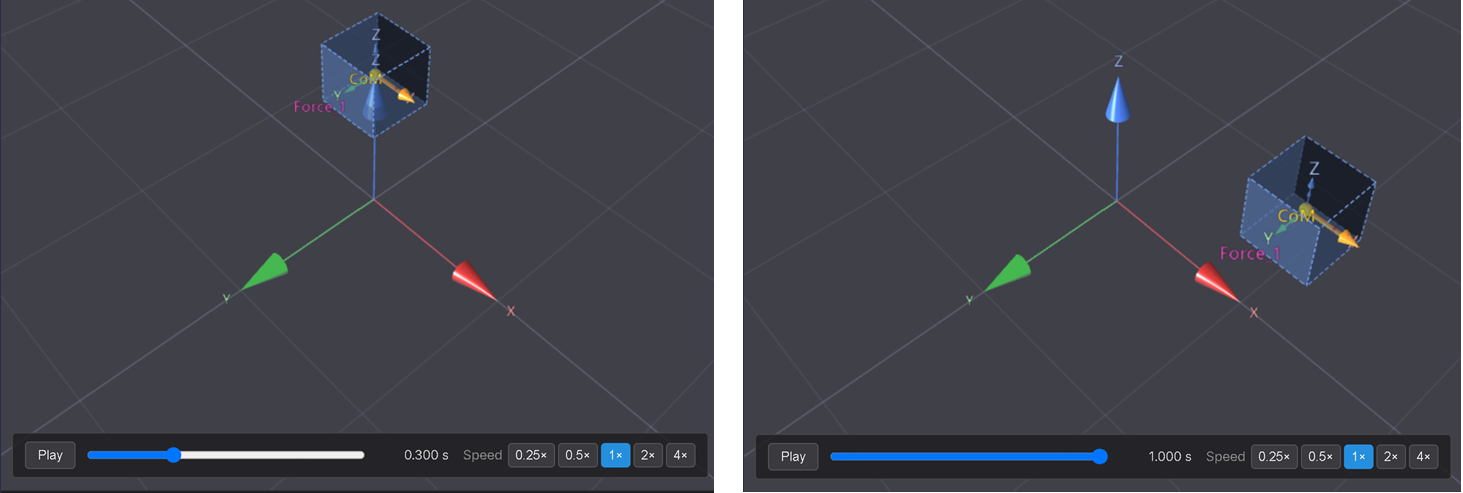
Solve (same 1 s run) and scrub to t = 0.3 s, then to t = 0.5 s, then to t = 1.0 s.
Expected: at t = 0.3 s the body hasn't moved at all. Somewhere around t = 0.5 s it starts. By t = 1.0 s it has covered less ground than Part A (it only had 0.5 s of push, not 1 s) — about ½ × 10 × 0.5² = 1.25 m.
6. Switch to a Ramp drive — a push that grows
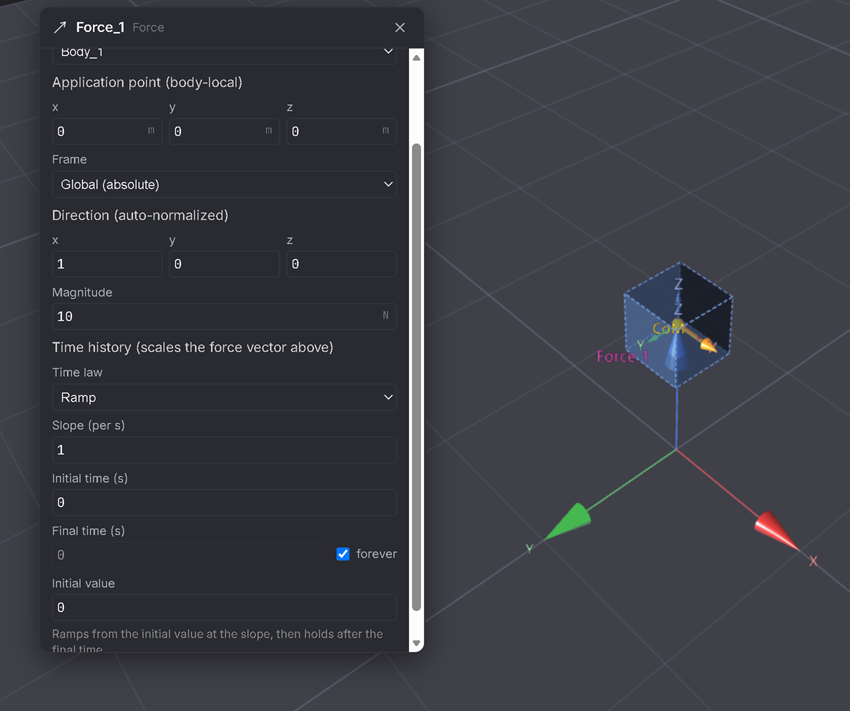
Change Time law → Ramp. Set Slope = 1, Initial time = 0, Final time = Forever, Initial value = 0.
Expected: the drive grows linearly from 0, reaching 1 (→ 10 N, same as the Constant case) right at t = 1 s — but it was weaker than that for the whole run before then. The push (and so the acceleration) keeps increasing instead of staying fixed.
7. Solve and compare the shape of the motion
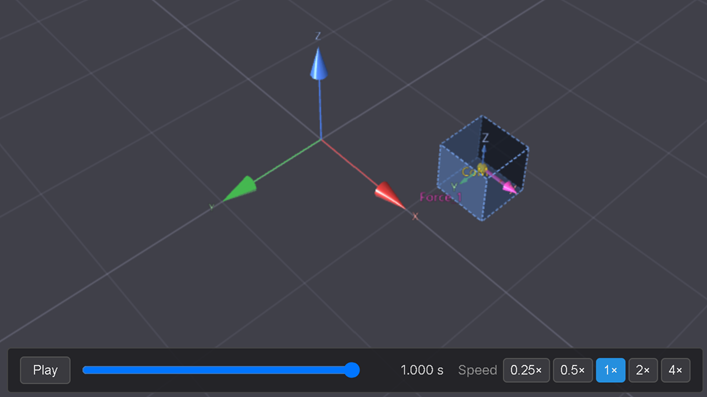
Solve and play back at normal speed, watching the spacing between positions as time advances.
Expected: unlike Part A's steady speed-up, the body barely moves at first and then covers noticeably more ground in the second half of the run than the first — visible proof that the push (and the acceleration) is growing, not constant. (For the curious: with a linearly-growing force, velocity grows as t², so by t = 1 s the body has covered ≈ 1.67 m — less than the Constant case's 5 m, because the push spent most of the run weaker than 10 N.)
Part C — a constant twist (rotation)
8. A body with a visible spin
On the same body, open its Inertia fields and set Izz = 1 (up from the tiny default 0.01 — this is what makes the spin slow enough to watch instead of a blur).
Expected: no visible change yet — inertia only matters once something tries to spin the body.
9. Add a Torque
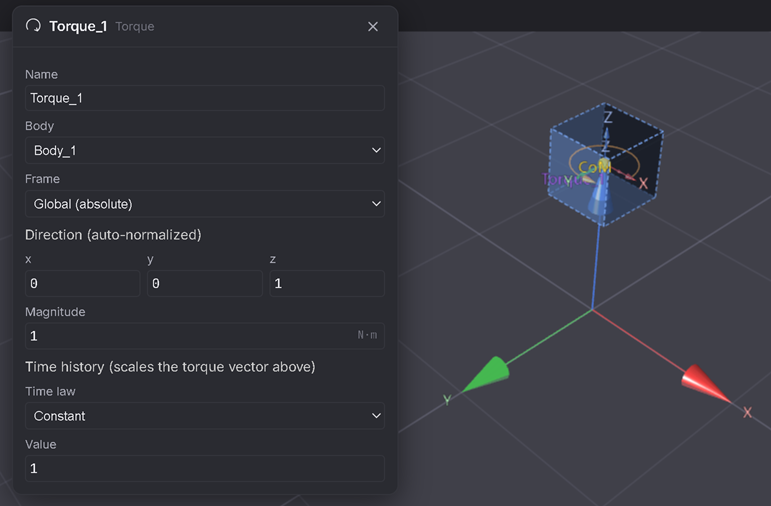
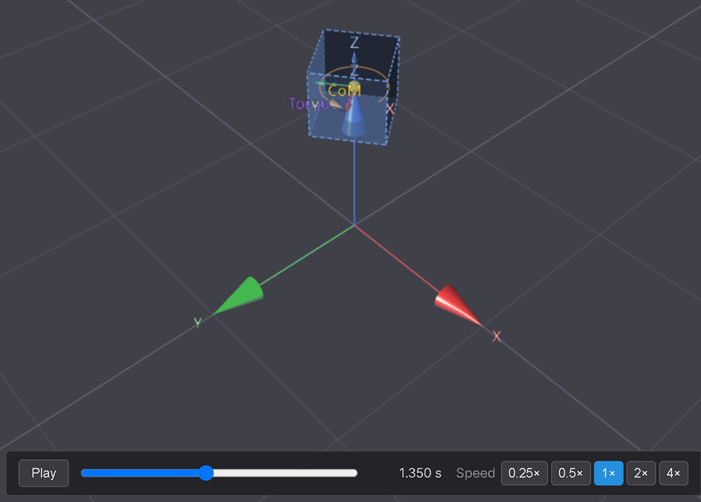
Springs & Loads ▸ Torque — defaults to magnitude 1, direction (0, 0, 1), Constant drive value 1 (a steady 1 N·m about Z). (If the Force from Parts A/B is still attached and pushing the body off-screen, delete it first — we just want the twist.)
Expected: a constant torque τ = 1 N·m about Z, with Izz = 1 kg·m² → α = τ/I = 1/1 = 1 rad/s².
10. Solve over a longer run and watch it spin up
Solve tab ▸ Duration = 3 s (long enough to see real rotation), Solve, then play back.
Expected: the body spins faster and faster about Z — after 1 s it's turning at ω = αt = 1 rad/s (≈ 57°/s), and by t = 3 s it has turned through θ = ½αt² = 4.5 rad (≈ 258°, more than three-quarters of a full turn).
Verifiable outcome
- Constant Force: a free body accelerates steadily at a = F/m; covers ½at² in time t. ✅
- Step: the push is genuinely zero before its trigger time, then full-strength after — no partial "leak." ✅
- Ramp: the push visibly grows, so the body covers less ground early and more later than a constant push of the same peak size. ✅
- Constant Torque on a free body: spins up at α = τ/I, same F=ma logic, just rotational. ✅
One line on the rest: Sine/Cosine drives oscillate back and forth (useful for shaking or exciting a system — you'll meet this again with springs); Piecewise linear lets you hand-draw any time history as a list of points. Same magnitude × drive(t) idea throughout.
Troubleshooting
- The body doesn't move at all → confirm Gravity is off (Step 1) and the Force's Time law/Value actually gives a non-zero drive at the times you're checking (a Step before its Initial time, or a Ramp with a tiny Slope, both look "stuck").
- It flies off far faster/slower than expected → check Direction is a unit vector like (1,0,0), not something larger, and that Magnitude wasn't changed from 10.
- The Torque does nothing visible → confirm Izz isn't still the tiny default (0.01) — at that value the spin is real but far too fast to read by eye over a 1 s window.
- Step 4's delay doesn't look right → Initial value must be 0 (not the default's occasional 1) or the "before" phase won't actually be off.